WordPress 7.0 Preview: Release Date, Biggest Features, and What to Test Now
A practical WordPress 7.0 preview covering the scheduled release date, AI foundations, admin and editor changes, developer impact, and what to test before updating production sites.
Published
May 18, 2026
Reading Time
7 min read
Updated
May 18, 2026
Implementation Notes
Extension points, code paths, and implementation choices that should survive contact with production.
Best For
WordPress developers, agencies, and technical teams building custom plugin or theme functionality with cleaner operational defaults.
Primary Topics
Editorial Focus
Build Pattern: Extension points, code paths, and implementation choices that should survive contact with production. Updated on May 18, 2026.
Full Report
Last reviewed: May 18, 2026
WordPress 7.0 has not reached its final release yet, but by May 18, 2026 there is already enough official information to evaluate what this version is likely to change for site owners, editors, agencies, and developers. The final release is currently scheduled for May 20, 2026, and the RC4 announcement plus the 7.0 Field Guide make the overall direction much clearer than the early beta cycle did.
That matters because WordPress 7.0 is not just a routine maintenance release. It looks like a meaningful product step: AI infrastructure moves closer to core workflows, the admin and editor experience get more ambitious, and developers inherit a larger set of changes to test before rollout. This preview focuses on what is already confirmed, what still deserves caution, and what production teams should validate before updating.
Who this preview is for
This article is for WordPress administrators, technical marketers, agencies, in-house product teams, plugin developers, and freelance implementers who need a practical view of WordPress 7.0 before the final package lands. If you decide when production sites update, maintain custom blocks or admin extensions, or support editorial teams after release day, this is the level that matters.
Key takeaways
- WordPress 7.0 looks bigger than an average point release. The confirmed changes span AI plumbing, admin UX, editor workflow, and developer tooling.
- The strategic shift is not only visual. The AI Client and Connectors work suggest a deeper platform direction, even if many sites will not feel the full effect on day one.
- Production teams should not treat May 20 as an automatic same-day update signal. This is a release worth testing deliberately, especially on sites with custom blocks, admin customizations, editorial workflows, or plugin-heavy dashboards.
What is confirmed as of May 18, 2026
According to the official WordPress 7.0 schedule, the targeted final release date is May 20, 2026. The RC4 announcement makes it explicit that release candidates are still for testing, not for production. At the same time, the 7.0 Field Guide and related developer notes are already detailed enough to identify the major themes of the release.
The safest way to read 7.0 right now is this: the broad direction is visible, but teams should still expect some details to settle at final release. That is normal for a version this ambitious.
The biggest WordPress 7.0 changes to watch
1. AI infrastructure becomes part of the core conversation
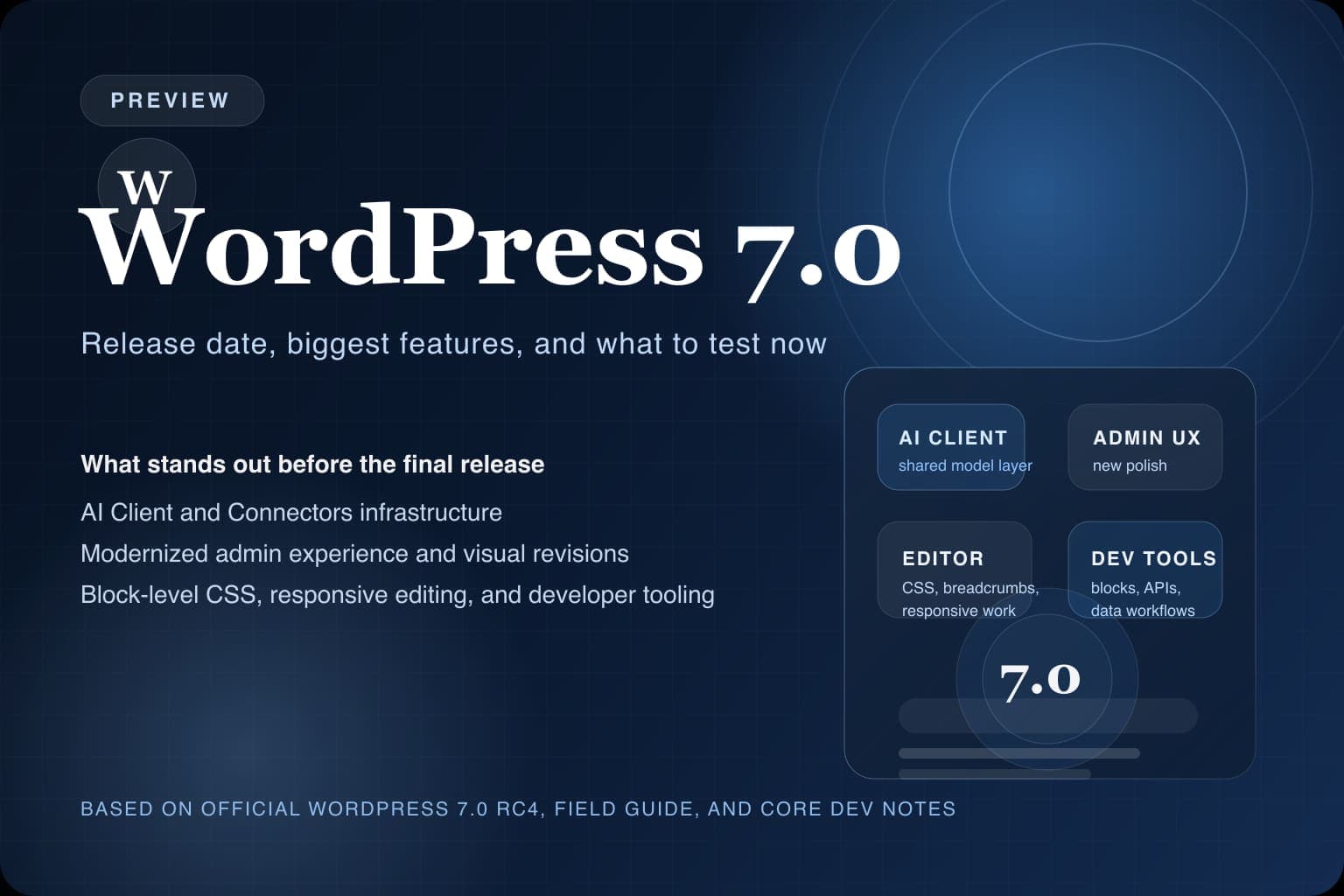
One of the biggest signals around WordPress 7.0 is the introduction of the AI Client and the related Connectors API work. Even if a typical site owner will not rewrite a workflow around AI on the first day, this is strategically important. It means WordPress core is moving toward a cleaner foundation for provider connections, AI-powered features, and a more standardized way for products to work with external models and services.
That does not mean every site suddenly becomes “AI native.” It means the platform is laying down shared infrastructure rather than forcing every plugin or product team to improvise its own approach. For agencies and plugin developers, that is the real story.
2. The admin experience gets more modern and more opinionated
WordPress 7.0 is also notable for user experience work that feels more product-led than routine. The official 7.0 material points to a refreshed admin color scheme, view transitions, command palette improvements, visual revisions, and font-library-related progress. Taken together, those changes suggest a more polished and deliberate editing environment rather than a pile of unrelated tweaks.
That is good news for teams who live in the dashboard every day. It also means sites with custom admin CSS, heavy admin plugins, or editorial onboarding documentation should test carefully. A more modern default experience is useful, but it can expose assumptions built into older extensions and internal workflows.
3. Editors get more control inside the site editor
The 7.0 Field Guide highlights improvements such as block-level custom CSS, a Breadcrumbs block, responsive editing work, and multiple updates around blocks like Heading, Navigation, and Gallery. This matters because it keeps pushing WordPress toward a world where more design and content decisions can happen inside native workflows without forcing teams straight into custom code.
For content teams, that can reduce friction. For implementers, it changes the testing surface. If a project depends on tightly controlled design systems, reusable patterns, or custom editor restrictions, the richer editor surface in 7.0 deserves a proper review before rollout.
4. Developers get useful changes, not just UI changes
WordPress 7.0 is not only about editors. The official developer-facing notes point to changes such as PHP-only block registration, Interactivity API progress, and continued work on data-oriented admin tooling. Those are meaningful for teams building custom blocks, extensible admin screens, or more structured editorial products on top of core.
The practical implication is simple: if your site has bespoke blocks, custom inserter restrictions, editor-side business logic, or plugin code that leans on newer APIs, you should not frame 7.0 as a cosmetic update. It is a developer-impacting release.
5. Real-time collaboration is not the headline of this release
One of the more important clarifications from the official WordPress 7.0 communication is what is not shipping. Real-time collaboration has been pushed out of this release path. That matters because it resets expectations. Anyone waiting for 7.0 mainly because of collaboration should read this as a strong reason to separate hype from what is actually landing now.
In other words, 7.0 still looks important, but not for every reason that was discussed earlier in the release cycle.
Fast pre-update checks for production teams
wp core version
wp core check-update
wp plugin list --update=available
wp theme list --update=available
These commands will not tell you whether your custom workflows are safe, but they are a fast way to see your current baseline before you start a staging rollout. The real value is not the command itself. It is the discipline of verifying what is already out of date before you stack a major core release on top of older plugin or theme debt.
What to test before you update to WordPress 7.0
- Clone production into staging first. Match your active plugins, active theme, PHP version, caching behavior, and any custom mu-plugin logic. A major update test is only useful if the environment is honest.
- Walk through real editorial workflows. Test the block editor, template editing, navigation management, pattern usage, and any role-based content flows your team depends on daily.
- Inspect admin plugins and custom dashboard styling. A release with visible admin UX work is exactly the kind of release that can surface awkward spacing, hidden controls, or brittle CSS assumptions.
- Test custom blocks and headless dependencies. If your frontend reads WordPress content through the REST API, verify that editorial behavior, block rendering expectations, and custom fields still line up with the consuming application.
- Validate rollback and recovery before rollout. Backups are not enough on paper. Make sure the team knows what the restore path is if the update causes layout regressions, plugin breakage, or editorial confusion.
Why release day should not equal production day
Many WordPress site owners will update quickly after the final package appears, and low-complexity sites may be fine doing that. But on managed production estates, a same-day update is often more about impatience than discipline. WordPress 7.0 looks like a release where the right question is not “Can we click update?” It is “What part of our stack is most likely to be surprised by the new editor, admin, or API surface?”
If you need a rollout model instead of guesswork, pair this preview with our WordPress update rollout checklist and our backup and restore test checklist. The first helps sequence the change; the second makes sure you are not pretending rollback is covered when it is not.
Bottom line
WordPress 7.0 looks like a consequential release. The visible story is a better editor and a more polished admin. The deeper story is that WordPress is continuing to harden its block-era platform direction while also building shared AI foundations instead of leaving that space entirely to plugin-level improvisation.
As of May 18, 2026, the right position is not blind enthusiasm and not cynical dismissal. It is disciplined interest. Read the official notes, test on staging, and be ready to move once the final package confirms what the RC and Field Guide already strongly suggest.


